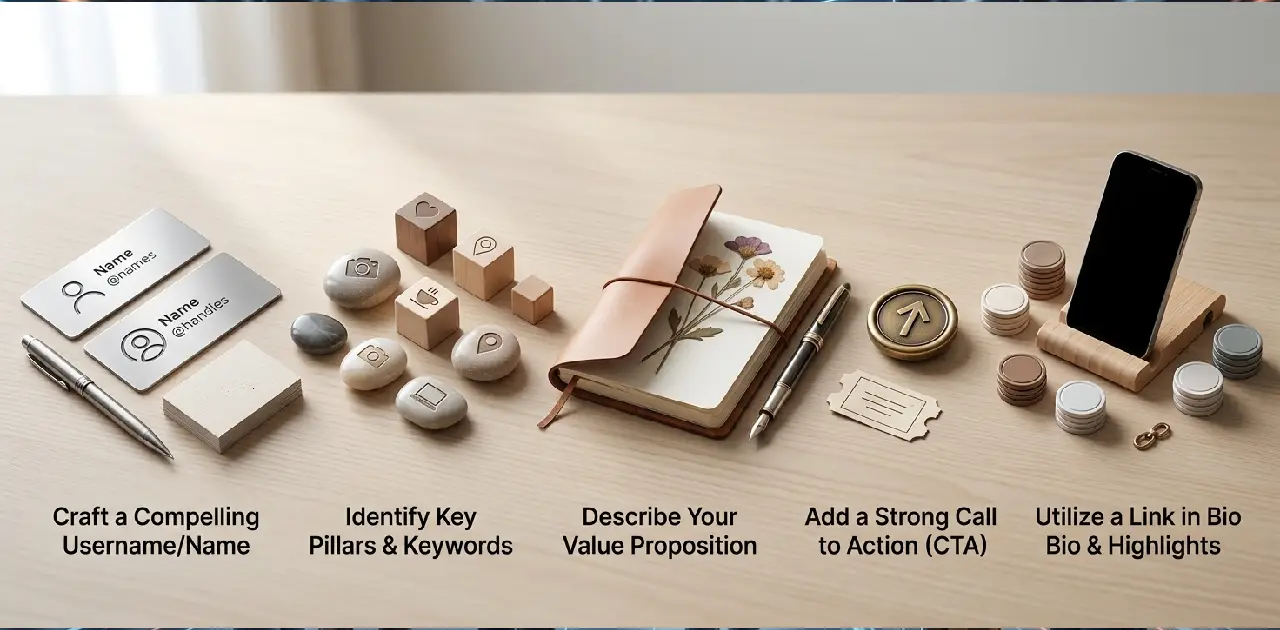

Insta Profile Bio: How to Optimize It Step by Step
Most people treat their Instagram profile bio like an afterthought. They type a sentence, add an emoji, and move on to picking filters for their next post. Meanwhile, that same 150-character box is quietly deciding whether strangers follow, click, or scroll right past.
Your Insta profile bio isn’t just decoration. It’s the single piece of real estate that has to answer three questions in under three seconds: who are you, what do you do, and why should someone care?
This guide walks through every part of your profile — name, bio text, link, and layout — and shows you exactly how to optimize each one, whether you’re a creator, a business, or just someone who wants a profile that actually reflects who they are.
What Makes Up an Instagram Profile Bio?
Before optimizing anything, it helps to know exactly what you’re working with. Your Instagram profile is built from several distinct pieces, and each one plays a different role.
| Element | Character Limit | Purpose |
|---|---|---|
| Profile photo | N/A | Visual first impression |
| Name field | 30 characters | Searchable; shows in Instagram search results |
| Username (@handle) | 30 characters | Your unique identifier |
| Bio text | 150 characters | Your main introduction and value proposition |
| Website/link | Clickable, one link (or link-in-bio tool) | Drives traffic off Instagram |
| Category label | Optional | Signals your niche for business/creator accounts |
| Contact buttons | Optional | Email, call, or directions for business accounts |
Most people only think about the bio text box, but the name field and link are just as important for how your profile actually performs.
Why Your Insta Profile Bio Matters More Than You Think

A bio might be small, but it carries real weight:
- It’s the first thing people read. Before your grid, before your reels, visitors scan your bio.
- It affects discoverability. Instagram’s search function looks at both your name and username, so keywords matter.
- It sets expectations. A clear bio tells people exactly what kind of content to expect if they follow.
- It drives action. A specific call to action can turn a casual visitor into a follower, subscriber, or customer.
- It builds trust quickly. A polished, well-structured bio signals that you’re active and intentional, not abandoned or spammy.
Step 1: Choose a Profile Photo That Represents You
Your photo is the visual anchor of your bio, and it should match the purpose of your account:
- Personal brands and influencers: A clear, well-lit headshot works best. Avoid group photos or heavily filtered images.
- Businesses: Use your logo, ideally on a simple, recognizable background.
- Personal accounts: Any photo that feels like “you” is fine, though a clear face photo tends to build more trust with new visitors.
Step 2: Use the Name Field Strategically
This is one of the most overlooked parts of profile optimization. Your Name field (different from your username) is searchable on Instagram, which means the right words here can help new people discover you.
Example of an underused name field:
Sarah
Example of an optimized name field:
Sarah | Wedding Photographer
The second version tells Instagram’s search algorithm exactly what this account is about, while also giving visitors instant context before they even open the bio.
A few name field tips:
- Include one clear keyword related to your niche.
- Keep your actual name if personal branding matters to you.
- Avoid keyword-stuffing — one relevant phrase is enough.
- Update it if your focus shifts (from “Blogger” to “Author,” for example).
Step 3: Write a Clear, Value-Driven Bio
This is the core of your profile. A strong bio answers three questions almost instantly: Who are you? What do you offer? Why should I stay?
The 4-Part Bio Framework
- Identity line — who you are or what you do.
- Value line — what someone gets from following you.
- Personal or trust element — a location, credential, or personality detail.
- Call to action — what you want the visitor to do next.
Example using the framework:
🎨 Freelance Illustrator Turning ideas into bold, colorful art 📍 Based in Austin Commissions open 👇
Four short lines, each doing a specific job, all fitting comfortably within 150 characters.
Bio Examples by Account Type
| Account Type | Bio Example |
|---|---|
| Personal brand | 🎯 Marketing strategist | Helping small brands grow smarter |
| Small business | 🛍️ Handmade candles | Small batch, big scent | Orders via DM |
| Fitness coach | 💪 Certified trainer | Strength & mobility programs | Free guide below |
| Content creator | 🎥 Daily tips on productivity and focus | New video every Tuesday |
| Photographer | 📸 [City] photographer | Weddings & portraits | Book a session 👇 |
| Personal account | 🌿 Slow living, big dreams | Toronto |
Step 4: Master Searchability With Keywords
Instagram’s search results pull from both your name and your bio text, so thinking like a search engine — briefly — pays off.
How to find the right keywords:
- Think about what someone would actually type to find an account like yours (e.g., “fitness coach,” “travel photographer,” “small business owner”).
- Check what similar, successful accounts in your niche use in their name and bio.
- Avoid vague terms like “creative” or “passionate” without pairing them with something specific.
Weak vs. strong keyword use:
| Weak | Strong |
|---|---|
| Creative soul | Freelance graphic designer |
| Just a girl who loves food | Home cook sharing easy weeknight recipes |
| Doing my thing | Personal trainer helping busy professionals get fit |
Step 5: Optimize Your Call to Action (CTA)
If you want visitors to do something specific — follow, click, message, or buy — you need to tell them directly. Vague bios leave people unsure of the next step, and unsure usually means they simply leave.
Effective CTA examples:
- DM to book a session 👇
- New drop every Friday, link below
- Tap the link for a free guide
- Message “START” to get help today
- Shop the collection 🛍️ (link in bio)
Placement tip: Put your CTA on the last line, directly above your link. That positioning creates a natural flow from reading to clicking.
Step 6: Use Formatting to Improve Readability
A wall of text is hard to scan. Breaking your bio into short lines makes it far easier to read at a glance.
Before (hard to scan):
Photographer based in Chicago specializing in weddings and portraits, booking now for 2026, DM for inquiries
After (optimized formatting):
📸 Chicago Photographer Weddings & Portraits Booking 2026 dates DM to inquire 👇
Formatting tips:
- Use line breaks to separate ideas (most people type the bio in their Notes app first, then paste it in, since Instagram doesn’t have a built-in line-break button on all devices).
- Use one or two emojis per line at most, as visual markers rather than decoration.
- Leave a little breathing room — don’t cram every available character.
Step 7: Choose the Right Link Strategy
Instagram allows one clickable link in your bio (outside of paid ads and certain business features), so it needs to work hard.
| Link Strategy | Best For |
|---|---|
| Direct website link | Businesses with one clear destination (shop, portfolio, booking page) |
| Link-in-bio tool (multiple links in one page) | Creators or businesses with several destinations (shop, YouTube, latest post) |
| Contact/email button | Businesses that want inquiries without a website |
| No link, just a CTA to “DM” | Personal brands or service providers who prefer direct conversations |
If you regularly update what you’re promoting (a new video, a product drop, a blog post), a link-in-bio tool tends to save time compared to manually changing a single link every few days.
Step 8: Add a Category Label and Contact Options (Business/Creator Accounts)
If you’re running a professional account, Instagram lets you add:
- A category label (e.g., “Photographer,” “Clothing Brand”) that appears just above your bio.
- Contact buttons like email, call, or directions, which reduce friction for potential clients or customers.
These small additions build credibility and make it easier for the right people to reach you without digging through your bio for contact details.
Common Insta Profile Bio Mistakes to Avoid
| Mistake | Why It Hurts | Fix |
|---|---|---|
| Being too vague | Visitors don’t know what you offer | Add one specific detail about your niche |
| No call to action | People don’t know what to do next | Add a clear, simple CTA on the last line |
| Overusing emojis | Looks cluttered, hard to read | Limit to 2–4 total |
| Ignoring the name field | Missed searchability | Add a keyword after your name |
| Outdated information | Confuses returning visitors | Review and update every few months |
| Wasting the link | Missed traffic opportunity | Use a link-in-bio tool if you promote multiple things |
| Mismatched tone | Feels inconsistent with your content | Match your bio’s tone to your actual feed |
How to Edit Your Instagram Profile Bio
Updating your bio takes less than a minute:
- Open the Instagram app and tap your profile icon.
- Tap Edit profile.
- Update the Name, Bio, or Link fields as needed.
- Tap the checkmark or Done to save.
Tip: Draft your bio in a notes app first. This lets you check your character count, preview line breaks, and avoid losing your work if the app glitches mid-edit.
How Often Should You Update Your Insta Profile Bio?
There’s no fixed schedule, but a few situations should always trigger an update:
- You’ve changed your niche, job, or focus area.
- You’re launching something new (a product, service, or project).
- Your current bio feels outdated or no longer represents you.
- You’re testing what drives more profile visits or link clicks.
Since editing takes seconds, there’s little reason to leave a stale bio sitting on your profile for months at a time.
Personal vs. Business Insta Profile Bio: Key Differences

| Element | Personal Profile | Business/Creator Profile |
|---|---|---|
| Name field | Optional keyword | Strongly recommended keyword |
| Tone | Casual, personality-driven | Clear, value-driven |
| CTA | Optional | Highly recommended |
| Link | Optional | Essential (shop, portfolio, booking) |
| Category label | Not available | Available and recommended |
| Contact buttons | Not applicable | Recommended for accessibility |
Conclusion
A great Insta profile bio isn’t about clever wordplay — it’s about clarity. Every part of it, from your name field to your final call to action, should work together to answer one simple question: why should someone care about this profile?
Start with the four-part framework, keep your formatting clean, choose a link strategy that fits how often you post new things, and revisit your bio whenever your focus shifts. Small, intentional changes to this tiny block of text can genuinely shape how many people follow, click, and connect with you.
FAQs About Insta Profile Bio
What is the character limit for an Instagram bio?
Instagram allows up to 150 characters in the bio text field.
Does the Instagram name field affect search results?
Yes, Instagram’s search function looks at both your name and username, so keywords there improve discoverability.
How many emojis should I use in my bio?
Two to four emojis usually look clean, while more can make the bio feel cluttered.
Should I use a link-in-bio tool instead of a direct link?
Yes, if you regularly promote multiple things, since it saves you from manually updating one link each time.
How do I edit my Instagram profile bio?
Go to your profile, tap Edit profile, update the Name, Bio, or Link fields, then save.
What should every good Instagram bio include?
Your identity, what you offer, a personal detail, and a clear call to action.
How often should I update my Insta profile bio?
Update it whenever your focus, offer, or goals change, or whenever it starts to feel outdated.