
Bio Instagram: 7 Ways to Write One (Templates + Prompts)
Most people searching for a bio for Instagram don’t want a lecture on branding. They want something they can paste in tonight. The trouble is that a pile of 300 ready-made lines doesn’t help much if none of them sound like you.
This guide works the other way around. Instead of one more giant list, you’ll get seven methods for building a bio: fill-in templates, acrostic bios, emoji-first bios, stacked bios, “ask me about” bios, bio generators, and a copy-paste AI prompt.
Each method has examples you can adapt in a couple of minutes, plus a short list of ready-to-use bios at the end if you’d rather just grab one.
Bio Instagram Basics: The Limits That Apply to Every Method
Before you build anything, know the boundaries. They stay the same whichever method you pick.
| Field | Limit or Detail | What to Know |
|---|---|---|
| Bio text | 150 characters | Instagram’s Help Centre documents this. Spaces, emojis, punctuation, and line breaks all count. |
| Links | Up to five | Added through Edit profile. They don’t use up your 150 characters. |
| Name field | About 30 characters (per third-party guides) | Searchable. Instagram doesn’t publish the exact figure. |
| Username | 30 characters | Letters, numbers, periods, and underscores. |
A simple rule helps: put your keyword in the name field, put your personality in the bio, and put your URLs in the links field.
Method 1: Fill-in-the-Blank Templates
Templates are the fastest way to a decent bio. You keep the structure and swap in your own details. Replace every bracket with something specific, because specific is what makes a template feel personal.
| Template | Example |
|---|---|
| [Role] | [niche] | [city] | Textile artist | Hand-dyed scarves | Leeds |
| Part [A], part [B] | Part night owl, part morning-person-in-training |
| Here for [A], [B], and [C] | Here for slow mornings, loud playlists, and second helpings |
| [Verb]ing [thing] since [year] | Baking sourdough since 2019 |
| Ask me about [topic] | Ask me about budget travel and bad maps |
| [Bold claim]. [Soft admission]. | I plan everything. Then I improvise. |
| If you like [A], you’ll like [B] | If you like quiet mornings and loud music, we’ll get along |
| Currently: [doing] · [reading] | Currently: learning guitar · rereading old favorites |
| 3 things I love: [a], [b], [c] | 3 things I love: tea, trains, tiny notebooks |
| [Name]’s [noun] | Zara’s tiny corner of the internet |
How to use a template well:
- Pick the one that matches how you naturally talk.
- Replace each bracket with a concrete noun, not a vague adjective.
- Read it aloud. If it sounds like a stranger wrote it, change a word.
Method 2: The Acrostic (Hidden-Meaning) Bio
An acrostic bio stacks short lines so the first letters spell a word or name. It’s playful, it’s memorable, and it’s hard to copy because it’s built around you.
Here are three examples:
Makes tiny cakes Always late to brunch Yoga on good days Asks for extra sprinkles
Zero rush Always building Ink-stained fingers Night-owl coder
Coffee first, plans later Always chasing sunsets Late-night playlists Making it up as I go
How to build your own in four steps:
- Choose a short word: your name, a value, or a feeling (three to six letters works best).
- Write one short phrase for each letter, aiming for about 25 characters or fewer.
- Stack the lines and count the total. Remember that line breaks count toward the 150.
- Read down the first letters to make sure they spell the word clearly.
Best for: personal profiles, creative accounts, and anyone who wants a bio that feels like a small puzzle. Less suited to: businesses that need a clear keyword and call to action up front.
Method 3: The Emoji-First Bio
An emoji-first bio uses a short row of emojis as a visual tagline, followed by a few plain words. It reads quickly and looks tidy.
- ☕ 📚 🌧️ | Slow reader, fast typist
- 🎧 🚲 🍜 | Playlists, bike rides, noodles
- 🌿 🧶 🐈 | Plants, yarn, and one very loud cat
A quick emoji key:
| Emoji | Usually Reads As |
|---|---|
| ☕ | Coffee, slow mornings |
| 📚 | Reading, studying |
| 🎧 | Music, podcasts |
| 🌿 | Calm, plants, nature |
| 📷 | Photography |
| ✈️ | Travel |
| 🍳 | Cooking, food |
Two cautions:
- Emojis don’t replace words. A row of icons won’t help people find you through keyword search, so pair them with plain text.
- Keep it to three or four emojis on one line. More than that starts to look crowded.
Method 4: The Stacked Mood Bio
A stacked bio gives each line one job and one idea, often with a small emoji as a bullet. It’s the easiest layout to scan.
🌧️ Rainy-day writer ☕ Tea before talking 🎞️ Old movies, new notes
🧵 Slow fashion stylist 📍 Based in Leeds 📩 Styling sessions open
The rule: one idea per line, and cut any line that repeats another. If you only have room for three lines, three is enough.
Method 5: The “Ask Me About” Bio
This format invites conversation instead of announcing a title. It works because it tells people what to talk to you about.
- Ask me about sourdough, thrifting, and trains.
- Ask me about first-time home buying (and my terrible paint choices).
- Talk to me about: study habits, cheap eats, and bad movies.
- Ask me anything about keeping balcony plants alive.
Best for: creators, hobbyists, and small businesses who answer questions in comments or DMs. Pair it with a line in your highlights so new visitors can see the answers.
Method 6: Bio Generators (And How to Use Them Well)
A bio generator is a free online tool that takes a few inputs and gives you bio options. Many social media tools offer one. Some use fixed templates, and some use AI.
How they usually work:
- You enter details such as your name, niche, tone, or keywords.
- The tool returns several options.
- You copy one and edit it.
What to feed a generator: your role, your niche, who you want to reach, the tone you want, one keyword, and one personal detail. The more specific your input, the less generic the output.
| Pros | Cons |
|---|---|
| Fast starting point | Output is often generic |
| Shows different structures you might not think of | It doesn’t know your real voice |
| Helps when you’re staring at a blank box | It may return lines already used on other profiles |
| Free options are easy to find | Results can run over 150 characters |
Turning generic output into something yours:
| Generic Output | Edited Version |
|---|---|
| Passionate content creator who loves sharing tips | Recipe developer | 30-minute dinners | New recipe Sundays |
| Living my best life ✨ | Slow Sundays, long walks, short captions |
| Entrepreneur and dreamer | Founder of a two-person candle shop | Poured in Leeds |
| Just a girl who loves food | Home cook | Weeknight dinners for people who hate dishes |
Notice what changed: vague words (“passionate,” “best life,” “dreamer”) were replaced by nouns you can picture.
Method 7: A Copy-Paste AI Prompt for Your Bio
If you use an AI chat tool, a detailed prompt gets far better results than “write me an Instagram bio.” Here’s a template you can copy and fill in:
Write 10 Instagram bios, each under 150 characters including spaces and emojis.

About me: [your role or main interest]
Audience: [who you want to reach]
Tone: [calm / funny / confident / warm]
Layout: [one-liner / two lines / stacked]
Keyword to include: [your niche keyword]
One personal detail: [a hobby, city, or habit]
Call to action: [yes, "DM to book" / no]

Avoid clichés like "living my best life," "dream big," and "passionate about."
Give me a mix of styles and keep every line specific.
Why this works: it gives the AI concrete material, limits, and a list of phrases to avoid, so you get fewer generic results.
An important caution: AI tools often miscount characters. Always paste your favorite into a notes app and check the count yourself before saving.
Your 6-Point Editing Checklist
Whether your bio came from a template, a generator, or an AI tool, run it through this list.
- Count the characters. Stay at or under 150, including line breaks.
- Replace one vague word with a specific one. “Creative” becomes “ceramicist.”
- Delete anything that repeats. Two lines saying the same thing waste space.
- Check that it sounds like you. Read it aloud. If you’d never say it, change it.
- Do the three-second test. Show it to a friend for three seconds and ask what they’d guess you post about.
- Make it your own. Change at least one phrase so it doesn’t match thousands of other profiles.
Three Bio Makeovers: Before and After
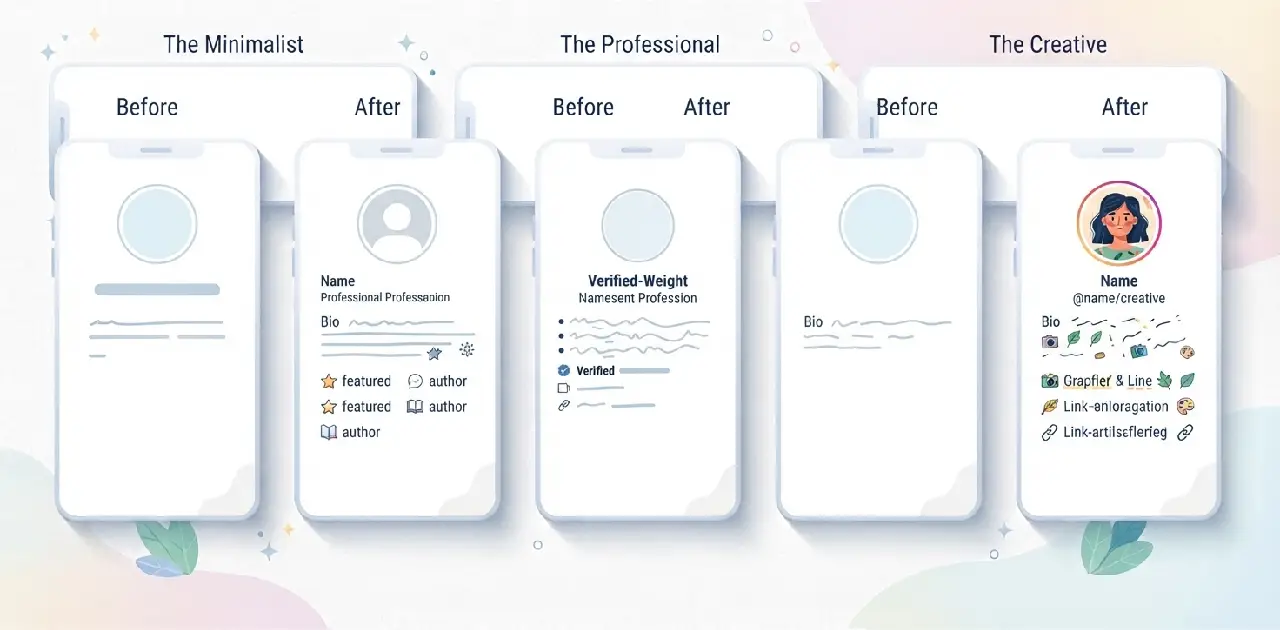
Seeing the edits makes the checklist easier to apply. Here are three common starting points and a stronger version of each.
| Type | Before | After |
|---|---|---|
| Student | Student | Dreamer | Coffee lover ☕ | Living life | Pre-med student | Flashcards, field notes, calm exam tips | Study notes in highlights |
| Small shop | Handmade with love ❤️ Small business owner. DM for orders. Follow for more!!! | Hand-poured soy candles | Small batches, slow scents | Order via DM |
| Personal | Just a girl living her best life ✨🌸💕 | Weekend hiker, weekday spreadsheet person | Trail photos mostly |
What changed in all three:
- A vague label became a noun you can picture (pre-med student, soy candles, weekend hiker).
- Each bio now gives one reason to follow.
- Filler words and extra emojis were removed.
- The call to action, where there is one, is a single clear step.
A Simple Way to Test Your New Bio
If you have a professional account, Instagram‘s Insights can show profile visits and follows. Change one thing at a time, such as the first line or the call to action, and compare a few weeks before and after. If you have a personal account, the three-second test with a friend does the same job. Either way, change only one element at once, or you won’t know which change made the difference.
Which Method Should You Use?
| If You Want… | Try This Method |
|---|---|
| A bio in two minutes | Fill-in templates |
| Something playful and memorable | Acrostic bio |
| A clean, visual look | Emoji-first or stacked bio |
| To start conversations | “Ask me about” bio |
| Ideas when you’re stuck | Bio generator |
| Lots of options to choose from | AI prompt |
| A bio that sells something | Template #1 (role, niche, city) plus a call to action |
Quick-Copy Bios (If You’d Rather Just Grab One)
All of these are original. Change a word or two so they feel like yours.
Soft & Calm
- Window seat, warm tea, no rush.
- Letters to myself, mostly lowercase.
- Gentle days, grateful nights.
- Collecting quiet mornings.
Funny
- Fluent in “five more minutes.”
- My phone storage is mostly food photos.
- Overthinking in high definition.
- Calendar full, energy not found.
Confident
- Not for everyone, intentionally.
- Choosing myself, again and again.
- Plans made, excuses retired.
- Calm face, fierce follow-through.
Creators & Professionals
- Illustrator | Cozy animals, loud colors | Prints in links
- Personal finance, minus the jargon | New tips Mondays
- Home gardener | Small balcony, big harvest | Plant notes below
- Study coach | Notes, habits, calm exams | Free planner in links
Common Bio Instagram Mistakes
| Mistake | Why It Hurts | Fix |
|---|---|---|
| Copying a bio word for word | It feels generic | Change at least one phrase |
| Trusting generator output blindly | May be vague or over the limit | Edit for specifics and count characters |
| Stacking too many emojis | Looks cluttered and says little | Use one to three |
| Hiding what you do | Visitors can’t tell what to expect | Lead with a specific noun |
| Putting URLs in the bio text | Wastes characters | Use the links field instead |
| Never updating | The bio drifts from your content | Review it every few months |
| Forgetting the call to action (businesses) | Visitors don’t know what to do next | End with one clear next step |
How to Edit Your Instagram Bio
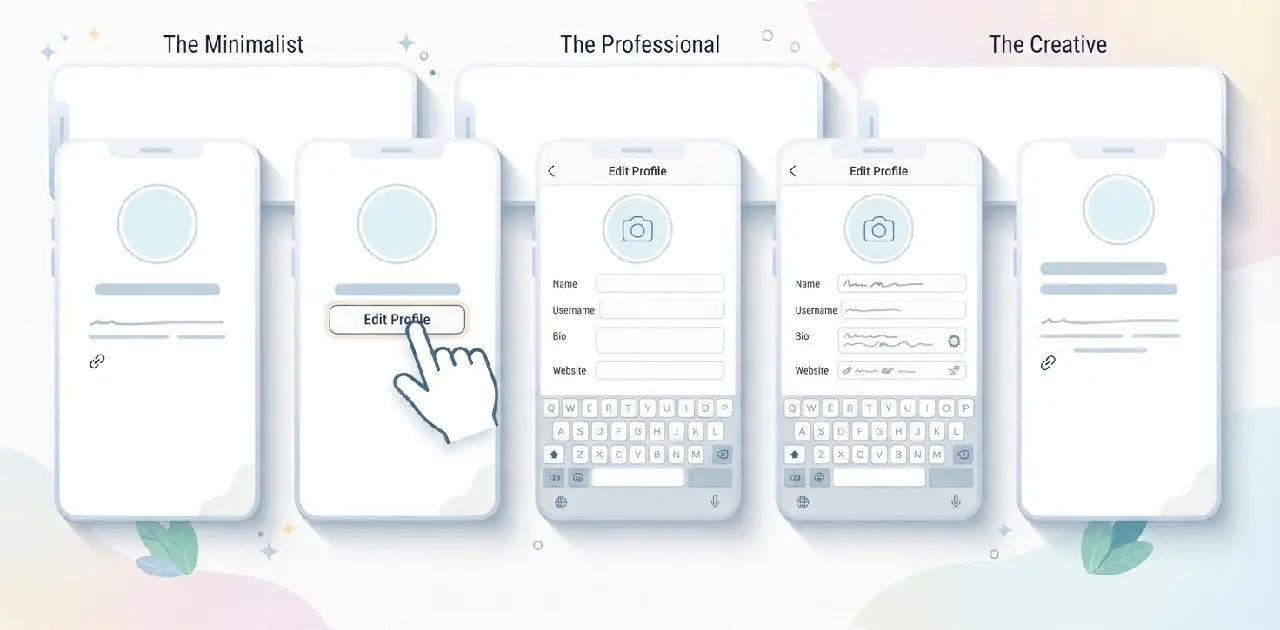
- Open Instagram and tap your profile picture.
- Tap Edit profile.
- Update your Name, Bio, and Links.
- Tap Done to save.
You can also edit your profile from Instagram on the web. Whichever device you use, drafting the bio in a notes app first makes it easier to check line breaks and the character count.
Conclusion
A good bio for Instagram doesn’t need to be clever. It needs to be specific, short, and yours. Start with a method that fits your situation: a template if you’re in a hurry, an acrostic if you want something playful, a generator or AI prompt if you want options. Then edit it until it sounds like you.
Pick a method, build one bio, and run the six-point checklist. If it passes the three-second test, save it. You can always change it next month.
FAQs About Bio Instagram
What is a bio on Instagram?
It’s the short text under your name that tells visitors who you are, with a limit of 150 characters.
What’s the easiest way to write an Instagram bio?
Use a fill-in template and replace each bracket with a specific detail about you.
What is an acrostic bio?
It’s a stacked bio where the first letters of each line spell a word or name.
Are Instagram bio generators worth using?
They’re good starting points, but you should edit the output for specifics and check the character count.
Can I use AI to write my Instagram bio?
Yes, give it detailed inputs and phrases to avoid, then edit the result and count the characters yourself.
How many links can I add to my Instagram bio?
Instagram’s Help Centre says up to five links can be added through Edit profile, and they don’t use your 150 characters.
How do I edit my Instagram bio?
Go to your profile, tap Edit profile, update the Bio field, and tap Done.